
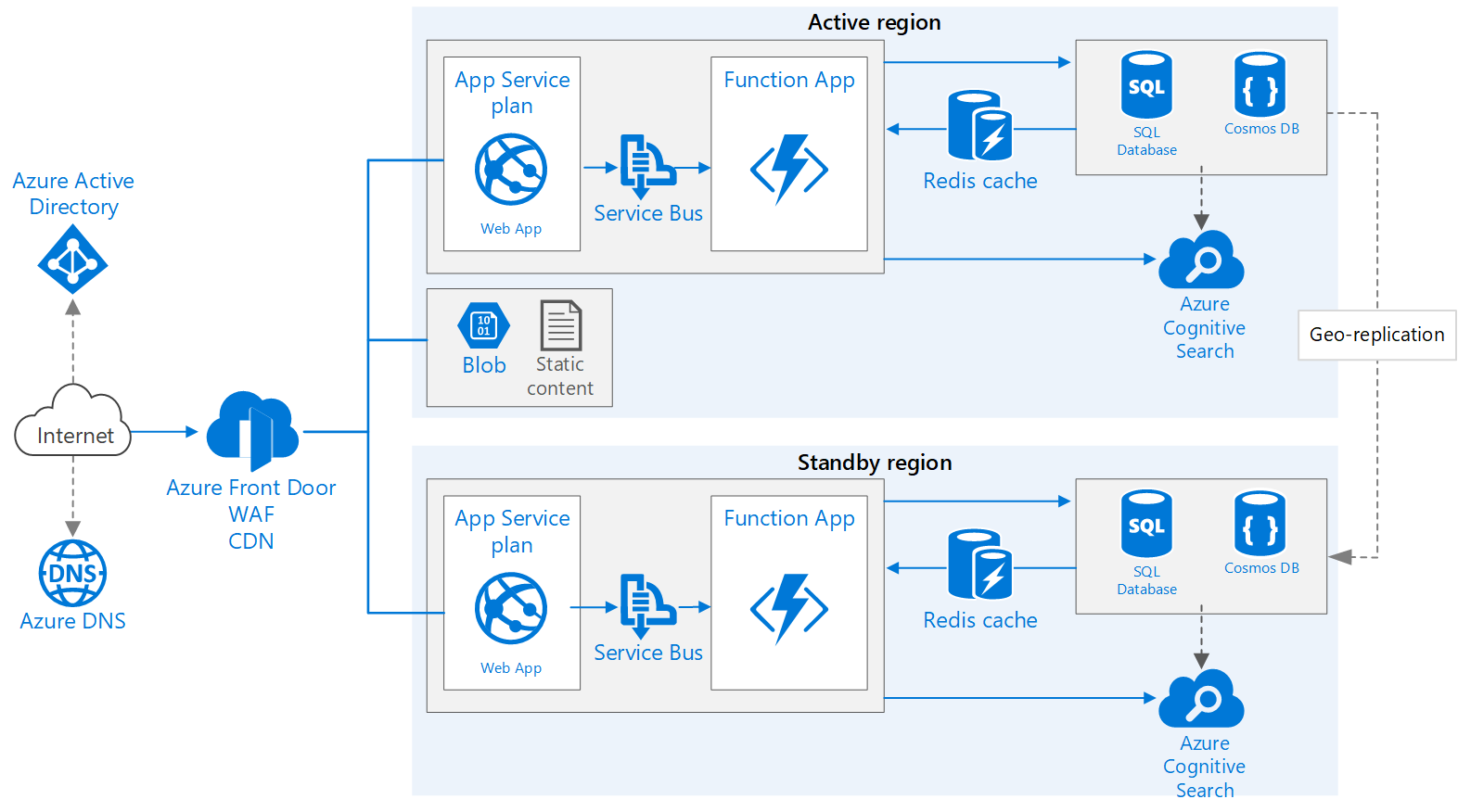
Does ASPNET Core support deployment at multiple locations? Will it work out of the box for the following architecture?
8 Answer(s)
-
0
Do you mean multiple instances?
An important point to note is that there should only be one instance consuming background jobs at any time.
Markdown is supportedCopy & paste or drag & drop images (max 30 MB per image) -
0
Yes @aaron. I want to run multiple instances.
How can I control the background jobs so they only run in 1 server?
Markdown is supportedCopy & paste or drag & drop images (max 30 MB per image) -
0
From https://aspnetboilerplate.com/Pages/Documents/Background-Jobs-And-Workers#disabling-job-execution:
<blockquote>
public class MyProjectWebModule : AbpModule
{
    public override void PreInitialize()
    {
        Configuration.BackgroundJobs.IsJobExecutionEnabled = false;
    }

    //...
}
</blockquote>
Markdown is supportedCopy & paste or drag & drop images (max 30 MB per image) -
0
@aaron, is there any way to limit background jobs to just 1 instance? I do not want to disable background jobs
Markdown is supportedCopy & paste or drag & drop images (max 30 MB per image) -
1
Hi @ajayak
You can get the value of
Configuration.BackgroundJobs.IsJobExecutionEnabledfrom appsettings.json (or something similar) and set it to true only for one instance.Markdown is supportedCopy & paste or drag & drop images (max 30 MB per image) -
0
Hi @ismcagdas, @aaron, I'm using Hangfire to manage background jobs.
Should I also add a check on
UseHangfireServerin Startup.cs?Markdown is supportedCopy & paste or drag & drop images (max 30 MB per image) -
0
How can I control background jobs when I am running 2 instances of the application at same location?
I'm using Azure. Under Scale out option, I can add multiple instances to my application. Source code will be same for these instances. Is it possible to control background job someway?
Markdown is supportedCopy & paste or drag & drop images (max 30 MB per image) -
0
@ajayak
In that case, you can store a setting (or something similar) on the database and set it's value to true when the first app starts handling background job. Other apps can check the same setting value and ignore background job handling if the value is true.
But in that way, you need to set this value to false when the app which starts background job handling shuts down.
It requires a bit of extra custom work.
Markdown is supportedCopy & paste or drag & drop images (max 30 MB per image)

